

I built Gaia for UBITECH. Gaia is UBITECH's enterprise AI platform and intellectual property; its official site is thegaia.ai. It gives organizations a place to build and operate AI assistants and applications, connecting conversation with tools, information, and business processes. I lead its product and technology work.
One feature captures how I think about AI interfaces: the canvas, a visual workspace that opens alongside the conversation. You can keep talking to the assistant while inspecting information or working with controls in that workspace. Instead of describing every small change in words, you can edit a field, compare rows, or choose an action directly.
That combination expresses my view of where AI interfaces should go. I want to explain what I am trying to achieve without first learning an application's navigation. But when the work involves comparing options, correcting a field, or choosing exactly what should happen, I often want controls in front of me.
Conversation and traditional UI solve different parts of the same task. The product needs to make moving between them coherent.
Felix Haas's Invisible Interfaces, published on August 28, is a useful starting point. He describes agents becoming the layer through which people reach services, making the interfaces underneath less visible. He also makes room for transparency and carefully designed approval moments. His argument is about where interaction moves, rather than a literal disappearance of every screen.
I agree with that direction. Where I would take it further is the role of the interface that remains. Approval is one reason to show a person something. Exploring, comparing, editing, and taking over part of the work are reasons too.
Conversation lets people express intent. A visual interface lets them inspect, compare, and change the result. A hybrid product needs both to operate on the same work.
Where language helps, and where I want controls
Imagine reviewing a customer issue that needs special attention. Gaia's public canvas guide uses an escalation review to illustrate this kind of interaction. The following walkthrough develops that example; it is not a report of a customer deployment or a measured usability study.
I ask the assistant to open a review workspace for an escalation and explain the recommended next action. Language is useful here: I can describe the task, ask for missing context, and challenge the recommendation without finding the right sequence of menus.
The assistant opens a review form in the canvas, beside our messages. In this example, the form shows who will handle the issue, when they should follow up, and the proposed next action. Those details stay in view while we discuss them.
Perhaps the proposed owner is wrong, the follow-up date needs changing, or the recommendation depends on an assumption I do not share. I can select a different owner, change the date, and add a reviewer note directly in the form. I do not need to compose a message describing each edit and then inspect another paragraph to see whether the assistant understood it.
I might then ask, “Does that change your recommendation?” That belongs in the conversation again. The assistant needs to read the current values, including my edits, before answering. If it reasons from the earlier version, the experience has broken even if both panels look polished.
Finally, I choose an action. The interface should distinguish an edited proposal from a submitted decision and show whether execution succeeded. A confident sentence from the assistant is not enough evidence that a record changed.
For this workflow, I would use conversation to express the goal and discuss the reasoning, a visual surface to inspect and edit the proposal, and an explicit action to commit it. The person should be able to move among those activities without reconstructing the context each time.
That is a design preference, not a claim that every task needs a screen. A straightforward lookup may need only a sentence. A familiar, authorized routine may need no intervention at all. Adding a canvas to either can be unnecessary work.
What the canvas adds to the conversation
The conversation records the discussion. The canvas gives the work a place to stay visible and usable as that discussion moves on. On a larger screen it sits beside the messages; Gaia also offers separate Messages and Canvas tabs on mobile. The Gaia 3.0 release account describes how these visual workspaces can be saved and reopened.
A canvas can present an interactive interface rather than a static picture of an answer. In the review example, that means fields and action buttons. Other tasks may call for a table or a dashboard. Gaia calls the reusable definitions for these interfaces UI layouts: they specify what appears on screen and how the controls are arranged. The UI Layouts guide describes those building blocks.
The layout and the work inside it are different things. Think of a reusable form and one filled-in copy. The form defines the fields; the copy contains this customer's information, your edits, and the current progress. Editing a follow-up date should change this review, without redesigning the form used by every review.
Gaia saves that working session as an artifact, its term for a piece of work attached to a conversation. The assistant can reopen and update it across multiple messages. The documented canvas workflow separates those session changes from changes to the reusable layout. For the person using it, the useful result is continuity: the review can remain available while the conversation develops.
A small interactive response can also appear inside a chat reply. I would use that for a brief interaction. The separate canvas earns its space when someone needs to keep returning to the same work: inspect it, discuss it, change it, and continue.
For a recurring task, Gaia's assistant can be configured to open a default canvas when the conversation opens and reuse it on later visits. The person can start with a familiar workspace already in view, then ask for help where it is useful. That is the part I find most interesting: conversation becomes one way to participate in the work, alongside direct interaction.
Shared state is the hard part
Putting a chat panel beside a form is straightforward compared with making their behavior consistent.
If a user edits a value, the next agent action must use that value or explicitly resolve a conflict. If an operation fails, the screen must not silently present the proposed result as completed. If a conversation reopens, the user needs to know which artifact and version they are looking at.
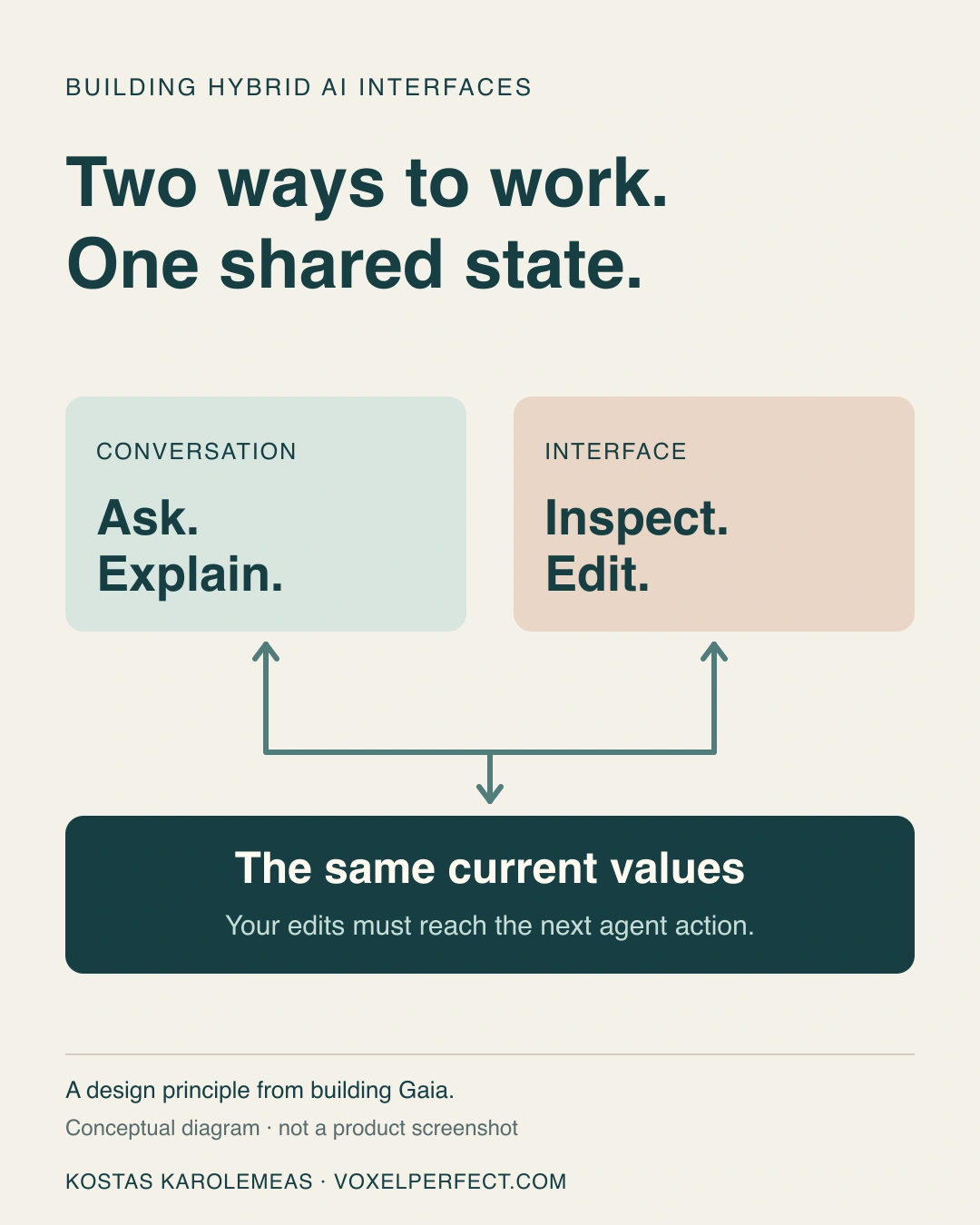
The design target: two ways to work with the same current state. This is my conceptual diagram, not a product screenshot. Gaia, the platform discussed here, belongs to UBITECH; see thegaia.ai.
Those requirements turn interface design into application architecture. The model's account of what happened, the browser's displayed values, and the persisted result can diverge unless the product defines how they are reconciled.
Consider what happens after pressing a button. If the action succeeds, the workspace should show the result. If it fails, the person should not see half of a successful result and have to guess what happened. Gaia's public guide describes an option for saving the returned values and the updated canvas together after a successful action. That addresses a particular consistency problem; it is not a guarantee that every possible simultaneous edit is resolved.
There is another choice behind the scenes. A working session can follow updates to the reusable layout, or keep a fixed copy of the layout it started with. The former can pick up a redesigned form; the latter keeps the session's interface stable. The guide documents both approaches, without promising a warning whenever a shared layout changes.
I would treat that decision as part of the experience. An interface that unexpectedly rearranges itself halfway through a review can undermine the familiarity that made visual controls useful in the first place.
Hybrid interaction has a history
This combination predates today's language models. In his 1999 paper on mixed-initiative interfaces, Eric Horvitz examined how automated services and direct manipulation could work together. The example system concerned scheduling and meeting management.
That history is helpful because it moves the discussion beyond declaring either agents or graphical interfaces the winner. There is a long-standing design problem here: how to distribute work between people and automation while allowing each to contribute effectively.
The 2019 Guidelines for Human-AI Interaction offer a more recent foundation. Among their recommendations are making correction efficient, explaining system behavior, and adapting cautiously. The authors' practical explanation also discusses helping users finish a task themselves when the system is uncertain.
These sources support principles for human control and correction. They do not prove that Gaia's implementation is better than a conversational or conventional alternative. That would require evaluation of actual tasks with actual users.
What I would test in a hybrid product
My test would start at the point where a person stops asking and starts changing something.
Can they correct a value directly? Does the assistant use the correction in its next response? Can they ask why a recommendation changed? Can they leave, return, and continue from the saved state? If an action fails, can they tell what was saved and what remains only a proposal?
I would also test whether the visual surface deserves to exist. For a simple task, does it help, or merely add another step? For a repeated task, do stable controls make the work easier to recognize and resume? Keyboard access, clear labels, and an understandable focus transition matter when a canvas opens; producing valid layout data is only part of that job.
These are the outcomes I would measure: task completion, correction effort, recovery from failures, and whether people correctly understand the resulting state. Counting fewer clicks or more conversational turns would not tell me enough.
Haas's essay asks us to imagine software that no longer requires visiting every application. I find that compelling. My experience building Gaia for UBITECH points me toward a related design goal: people should be able to delegate work and still have a clear, precise way to participate in it.
Sometimes that means a sentence. Sometimes it means a form that stays open while we talk. The interface should remain available for as long as it helps the person do the work.
Sources
- About Gaia: UBITECH's platform, the team behind it, and my role as product and technology lead.
- Felix Haas, Invisible Interfaces, August 28, 2026: the contemporary argument about agents mediating access to applications, transparency, and approval.
- Eric Horvitz, Principles of Mixed-Initiative User Interfaces, CHI 1999: combining automated assistance with direct manipulation.
- Saleema Amershi and colleagues, Guidelines for Human-AI Interaction, CHI 2019, and the authors' practical explanation: guidance on correction, explanation, and predictable adaptation.
- UBITECH Gaia's public UI Layouts guide, inline response scenario, and runtime canvas workflow: reusable interfaces, saved working sessions, default canvases, and the behavior of updates discussed here. Public documentation checked on September 26, 2026.
- Gaia team, Gaia 3.0 — UI Layouts, Canvas, and Portal Experience, June 10, 2026: the public release account of inline layouts and durable canvas artifacts.